
Aug 06, 2026 by Anthony York (YorkSoft Ltd)
Last Updated: August 6, 2026
Retail management system integrations are the backbone of modern retail operations. Without them, your inventory data lives in one system, your point-of-sale transactions in another, and your customer information scattered across a third. The result is manual data entry, delayed reporting, and decisions made on incomplete information.
When systems talk to each other automatically, real-time inventory visibility means you know what's actually in stock across all locations. Automated workflows eliminate hours of manual intervention each week. According to Retail Council UK guidance on digital transformation, businesses that automate their core retail operations see measurable improvements in order fulfilment speed and inventory accuracy.
Your enterprise resource planning system and point-of-sale platform are the two systems most critical to retail operations. ERP handles inventory, purchasing, financial accounting, and supply chain. POS captures every transaction, customer interaction, and payment. When these two systems don't communicate, your business operates with a fundamental information gap.
ERP integration with POS means that every sale recorded at the till instantly updates your central inventory count. Stock levels reflect reality across all locations simultaneously. The technical challenge is that ERP and POS systems often come from different vendors with different data models. The integration layer must map these different structures, transform the data, and sync bidirectionally.
Real-time integration is the goal, but many retailers update inventory every 30 minutes or hourly, which is sufficient for most use cases. For high-velocity products or omnichannel retailers managing both physical and online stock, even this lag can cause overselling or customer frustration.
Data synchronisation ensures accuracy, timeliness, and consistency across all touchpoints. Real-time visibility means your retail staff, warehouse team, and e-commerce channel all see the same inventory position at the same moment.
Achieving this requires APIs or middleware connecting your systems, webhooks triggering updates immediately when transactions occur, data mapping ensuring fields translate correctly between systems, and validation rules catching errors before they propagate. A 5-minute delay is acceptable for most retail operations. A 1-hour delay creates operational problems. A 24-hour batch update is nearly useless for omnichannel retailers.
Most retailers encounter the same obstacles when automating their integrations.
Data mapping complexity is the first hurdle. Your systems use different terminology, data types, and structures. Someone has to define the transformation rules, and those rules need to be documented and maintained as systems change.
System downtime and latency create operational friction. You need fallback mechanisms, queue systems that hold data temporarily, retry logic that doesn't lose information, and monitoring that alerts you when something breaks.
Legacy system integration is the third major challenge. You might have a warehouse management system with an API that's poorly documented or non-existent. Integrating modern systems with legacy infrastructure often requires middleware that translates between old and new.
Data governance and security are often overlooked until they become problems. Your integration moves sensitive data, customer payment information, transaction history, and personal details. That data needs to be encrypted in transit and at rest. Compliance with regulations like GDPR requires careful attention to how data flows between systems.
Scalability challenges emerge as transaction volume grows. An integration that works fine for 100 transactions per day might struggle at 10,000. You need to understand your peak transaction volumes and design your integration to handle them.
Before you can automate anything, you need to understand what you're working with. Document every system in your retail operation: POS, ERP, inventory management, e-commerce platform, CRM, accounting software, and warehouse management systems.
For each system, capture what data it holds, how it's currently updated, who uses it, and how it connects to other systems today. Map the current data flow by following a customer order from placement through to fulfilment. Identify every manual step; these are your integration opportunities.
Document data inconsistencies. Does your POS show different inventory than your ERP? These inconsistencies reveal gaps in your current integration approach. Engage with the people who use these systems daily. A retail manager knows which manual processes are most painful. A warehouse team member knows where data errors cause picking mistakes.

Once you understand your current state, define what needs to flow between systems. Start with your highest-priority integration. Most retailers begin with POS to ERP, because that's where transaction data needs to flow immediately. Define the fields: transaction ID, store location, product SKU, quantity sold, price, payment method, timestamp, and customer ID if applicable.
For each field, document the source system's data type and format. Is the timestamp in Unix epoch or ISO 8601? Is the SKU a 6-digit number or an alphanumeric code? Define the transformation rules. If your POS uses a 6-digit SKU and your ERP uses a 10-digit code with a prefix, you need a mapping table that translates between them.
Identify the integration points. Where will data enter and exit each system? Document the technical details: API endpoint URL, authentication method, rate limits, error handling, and expected response format. Define error handling. What happens if a transaction fails to sync? Does it retry automatically? Where does failed data queue up for manual review?
You have three primary approaches to integrating retail systems: direct API connections, middleware platforms, or scheduled batch processing.
Direct API integration means your systems connect point-to-point. Your POS calls your ERP's API directly when a transaction occurs. This is the lowest-latency approach, with data moving in near real-time. It's also the most fragile. If you add a third system, you now have multiple point-to-point connections to maintain. This approach scales poorly as your system count grows.
Middleware platforms sit between your systems and handle translation and routing. Middleware decouples your systems; your POS doesn't need to know about your ERP's API, and vice versa. If you add a new system, you integrate it with the middleware, not with every existing system. The trade-off is cost and complexity.
Batch processing runs on a schedule, every 30 minutes, every hour, or nightly. This approach is simple and reliable. It's also the slowest. For high-velocity operations or omnichannel retailers, batch processing creates unacceptable delays.
Most mature retail operations use a hybrid approach: real-time APIs for critical data like inventory and transactions, middleware for complex transformations, and batch processing for reporting and reconciliation.
Before you go live with an integration, test it thoroughly. End-to-end testing means following a transaction or data element from its source through all transformation and routing steps to its final destination.
Create test scenarios that cover normal operations and edge cases. A normal scenario: a customer buys a product in-store, the transaction records in POS, inventory updates in ERP, stock count decreases. An edge case: a customer returns a product, the transaction reverses, inventory increases, accounting records a credit.
Test with realistic data volumes. If your peak hour involves 500 transactions, test with 500 transactions. You'll discover performance issues, timeout problems, and queue bottlenecks that won't show up with smaller tests. Monitor the integration during testing. Watch for data loss, duplication, or transformation errors.
Once your integration is live, you need ongoing monitoring to ensure it continues working correctly. Monitor latency, the time between when data is created in one system and when it appears in another. Set thresholds. If inventory updates take longer than 5 minutes, alert someone.
Monitor data integrity. Run reconciliation reports that compare record counts between systems. If your POS shows 10,000 transactions today but your ERP only received 9,950, something's wrong. Monitor error rates. Every integration experiences occasional failures. What matters is the trend. Set up alerting. When latency exceeds your threshold, when error rates spike, or when data reconciliation fails, someone needs to know immediately.
The UK market offers several strong options for retail automation and integration. Your choice depends on your system landscape, transaction volume, and technical expertise.
For retailers already invested in Microsoft ecosystems, Power Automate provides straightforward integration capabilities. For more complex integrations, MuleSoft offers enterprise-grade middleware with strong API management and transformation capabilities.
Zapier and Make (formerly Integromat) serve smaller retailers with simpler needs. They offer visual workflow builders, pre-built connectors to popular retail systems, and reasonable pricing for low-volume integrations. They're not suitable for high-transaction-volume operations or complex data transformations.
For custom integrations, many UK retailers work with specialist development firms. YorkSoft Ltd specialises in bespoke web applications and custom integrations tailored to specific retail operations. Rather than forcing your business into a generic platform, YorkSoft builds solutions that match your exact system landscape and operational requirements. This approach is particularly valuable if you're running legacy systems, have unusual data structures, or need integrations that off-the-shelf tools can't handle.
Every integration moves data between systems, and that data often includes sensitive information. Security and governance aren't afterthoughts; they're foundational.
Encrypt data in transit. Every connection between systems should use TLS/SSL encryption. Verify that your APIs support HTTPS and that your middleware enforces encryption. Encrypt data at rest. Data stored in queues, caches, or temporary files should be encrypted.
Implement authentication and authorisation. Your integration should authenticate to each system using credentials with the minimum necessary permissions. Audit all data access. Maintain logs of every API call, every data transfer, every transformation.
Comply with data protection regulations. GDPR requires that personal data is processed lawfully, transparently, and securely. If your integration touches customer data, ensure you have legal basis for processing it. PCI-DSS applies if you're handling payment card data; your integration must meet its security requirements.
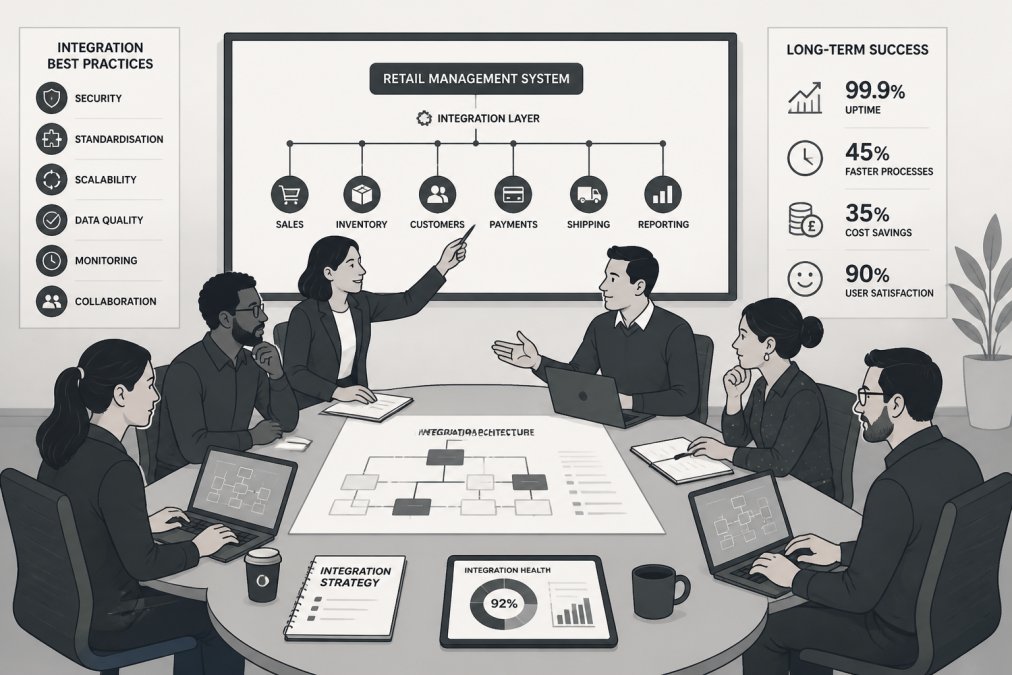
Your integration needs to grow with your business. Design for horizontal scalability. Rather than making one server faster, add more servers that share the load. This means avoiding single points of failure and designing your integration to distribute work across multiple processors or servers.
Use asynchronous processing where possible. Queue transactions and process them asynchronously rather than waiting for API calls to complete. This decouples your systems and allows each to operate at its own pace.
Monitor and optimise continuously. As your transaction volume grows, identify bottlenecks. Are API calls taking longer? Is your database struggling? Once you identify the constraint, address it before it becomes a crisis.
Plan for system changes. Your retail systems will be upgraded, replaced, or supplemented with new tools. Design your integration to accommodate these changes without complete redesign. Document your architecture. Future maintainers need to understand how it works. Include diagrams showing how data moves between systems.
Even well-designed integrations fail occasionally. The key is diagnosing and fixing problems quickly.
Latency spikes are often caused by database contention or network congestion. Check your database query performance and consider caching frequently accessed data.
Data duplication typically results from retry logic that doesn't account for idempotency. Make your integration idempotent by using transaction IDs or timestamps to detect and skip duplicates.
Transformation errors occur when data doesn't match expected formats. Validate data before transformation and log validation failures.
Authentication failures often indicate expired credentials or permission changes. Ensure credentials are rotated regularly and updated in all systems that use them.
Queue backlog means more data is arriving than you can process. Monitor queue depth. If it's growing, you need to either increase processing capacity or throttle the incoming data rate.
When troubleshooting, follow a systematic approach. Check logs first; they often tell you exactly what went wrong. Isolate the problem. Is it in the source system, the integration layer, or the destination system? Test each component independently.
Automating retail management system integrations is complex, but the payoff is substantial. Better inventory visibility, faster order fulfilment, reduced manual work, and more accurate data all flow from solid integration architecture.
The challenge is choosing the right approach for your specific situation. Off-the-shelf platforms work well for straightforward integrations between common systems. For complex, bespoke requirements, especially if you're managing legacy systems or unusual data structures, custom development offers flexibility that platforms can't match. YorkSoft Ltd has helped UK retailers build integrations that match their exact operational needs, delivering solutions that scale with their business and adapt as their systems evolve. When you're ready to move from manual data management to automated, real-time integration, YorkSoft's contact page is the place to start a conversation about your specific requirements.
| Integration Method | Best For | Latency | Complexity | Cost |
|---|---|---|---|---|
| Direct API | Simple, real-time needs | <1 second | Low-Medium | Low |
| Middleware | Complex, multi-system | 5-30 seconds | Medium-High | Medium-High |
| Batch Processing | Non-critical, scheduled | 30 min-24 hours | Low | Low |
Automating retail management system integrations eliminates manual data entry, reduces errors, and provides real-time visibility across inventory, sales, and customer data. Your team gains hours back each week, order fulfilment accelerates, and decision-making improves because data flows automatically between your POS, ERP, and CRM systems. Inventory accuracy improves significantly when stock levels synchronise in real time across all touchpoints.
The biggest challenges include data silos where systems don't communicate, legacy systems that lack modern API connectivity, inconsistent data mapping between platforms, and latency issues that cause stock discrepancies. Many businesses also struggle with managing transaction volume during peak periods and ensuring data integrity across automated workflows. Security concerns and the cost of custom middleware solutions are additional barriers that require careful planning.
APIs offer real-time data synchronisation and are ideal for high-transaction-volume environments where latency matters. Middleware platforms provide pre-built connectors and reduce development time but may cost more upfront. Batch processing works well for lower-frequency updates and legacy systems but creates delays in inventory visibility. Your choice depends on transaction volume, system age, budget, and how quickly you need data flowing between systems. A bespoke assessment of your specific setup is essential.
Implement encryption for data in transit and at rest, use role-based access controls to limit who can trigger automated workflows, and maintain detailed audit logs of all data transfers. Ensure your integration platform complies with UK data protection regulations and GDPR requirements. Regular security testing, monitoring for unusual data patterns, and keeping integration credentials secure are non-negotiable. Document your data mapping and retention policies so you understand exactly what information flows where.