First, you will need to log in to webmail. The easiest way is via this link: https://webmail.yorksoftltd.com or if you have your own link: https://webmail.yourdomain.com
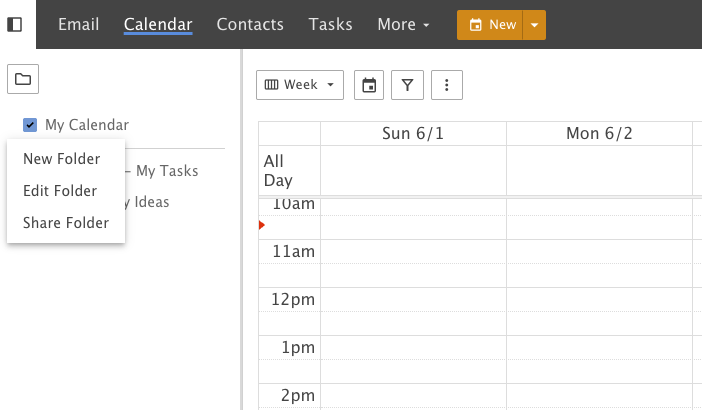
Click Calendar on the top bar.
Right mouse click the calendar you wish to share, or create a new folder (calendar) by clicking the Folder icon.
Click "Share Folder"
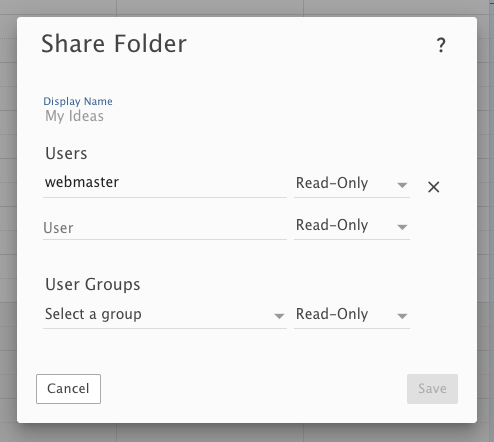
On the small pop-up, you can set who has permission to view and edit the calendar. In this example, I am giving webmaster in my contacts read-only access to the calendar.
After you click Save, your calendar should be available to all you've selected to share with.