May 06, 2024
This document is a guide as to how to setup the content filtering. There are a lot of settings available but these are the basics.
To start with you need to understand the order in which they work. If the first system checks have been actioned then the items after won't be activated.
Spam/Content filter order:
First login to webmail and click "Settings" in the top bar, you should see this:
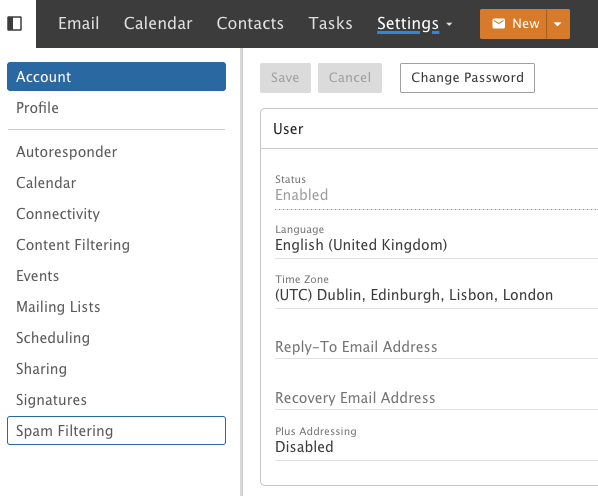
You will see "Content Filtering", click that and you should see this:
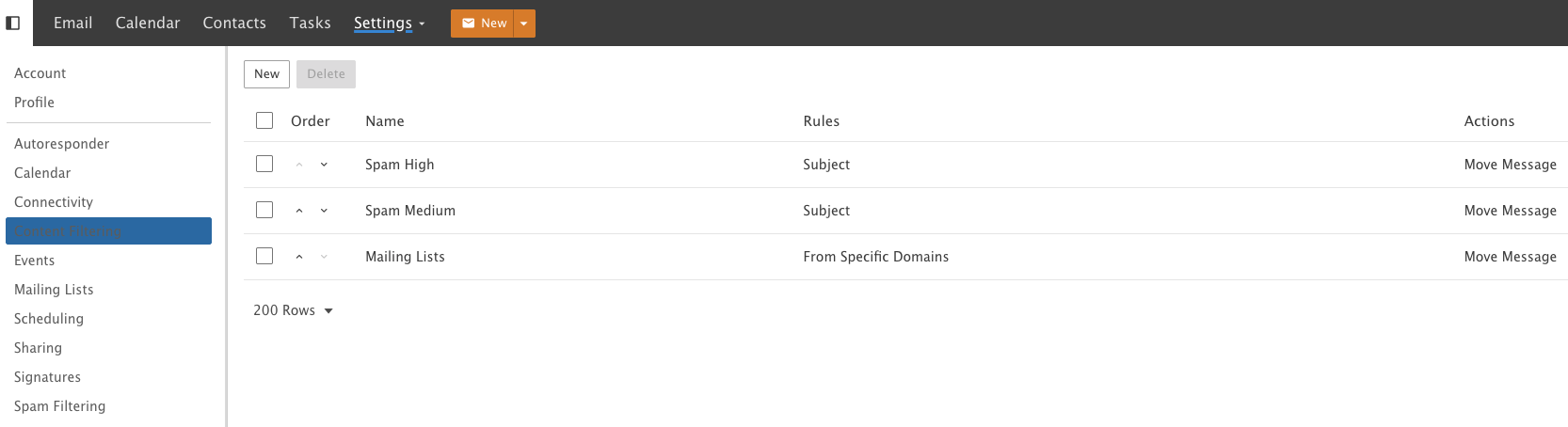
Here you can choose what you do with the emails based on the conditions you set.
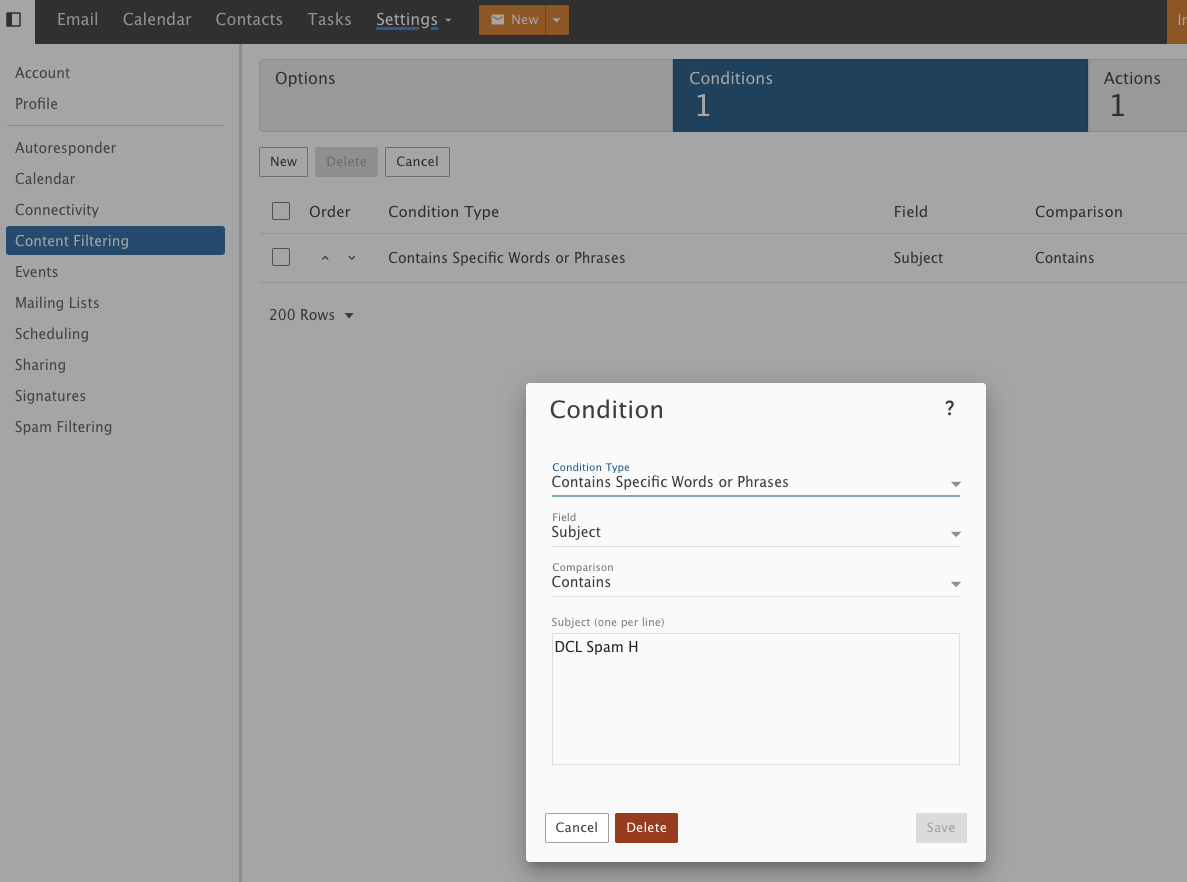
As an example, this one looks for if the Subject line includes the phrase "DCL Spam H":
You then chose what to do with it, as an example, this moves the message into a specific folder "junk e-mail\spam-hi":
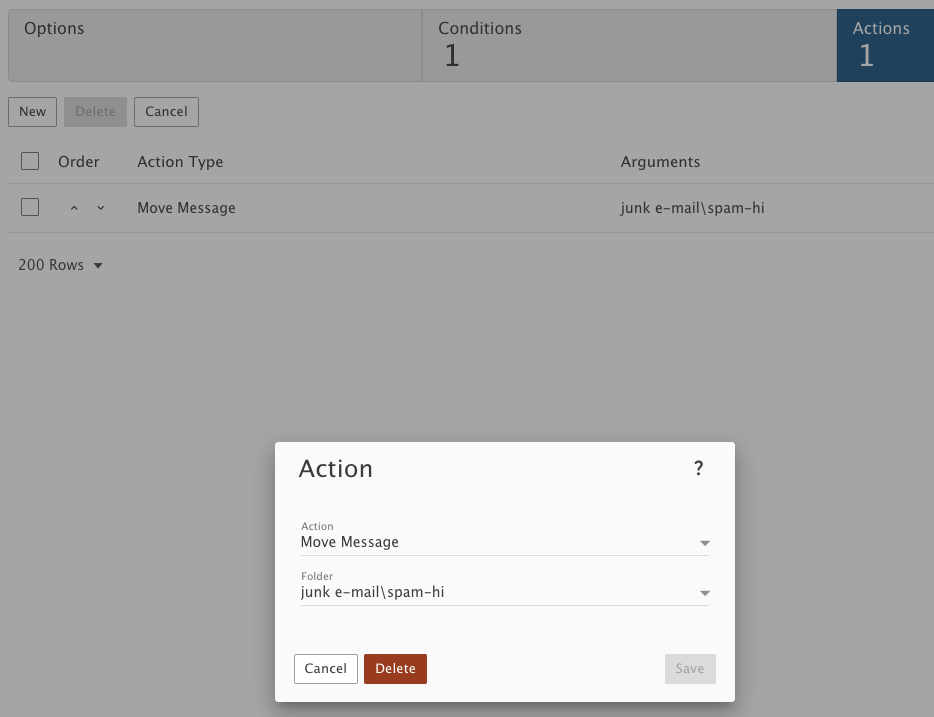
Once you've added your Rule "Save" and your condition, click the "Save" button and the Action "Save".




